
Ever tried remembering a friend’s phone number without jotting it down? You repeat it in your head, but it slips away fast. Variables work the same way for computers. They act as labels that hold onto info like numbers or words, so programs can grab and change that data anytime.
You might feel lost with coding terms right now. But variables make everything reusable and clear. By the end, you’ll see them as simple helpers in any language like Python or JavaScript. We’ll use everyday stories and quick examples next.
What a Variable Does in the Simplest Way Possible
A variable points to a value with a name. Think of it as a sticky note on a lunchbox. The note says “age,” and inside sits the number 12. You read it, eat the sandwich, or swap in cake later.
That name lets you find and update the info fast. Programs use variables to track scores or names without repeating everything. So code stays short and easy to fix. For more on this basic idea, check What Are Variables in Programming? A Simple Explanation.
This setup matters because it turns messy repeats into clean steps.
The Basic Building Blocks of Every Variable
The name comes first, like “age” or “playerScore.” It tells you what’s inside at a glance.
Next, the value sits there, such as 12 or “hello.” That’s the actual info.
Then the equals sign assigns it all: age = 12 means the label “age” now holds 12. Pick names that explain themselves. Skip vague ones like “x.”
Fun Everyday Analogies That Make Variables Stick Forever
Pictures help these ideas last. You’ll never forget variables after this. We have three: boxes, tentacles, and name tags. Pick the one that fits your brain best. They show storage, sharing, and changes.
Start with your closet full of labeled boxes. Or tentacles holding toys underwater. Name tags work like kids at a party too.
Variables as Labeled Boxes in Your Closet
Picture your closet shelves packed with cardboard boxes. Each has a label like “age.” Inside, stack twelve blocks for the number 12.
You pull the box out to count the blocks. Later, add one more for 13. Now “age” holds that new stack. Two labels like “age” and “yearsOld” can point to the same box. Change one, and both update.
This view shows how variables hold and swap values cleanly.
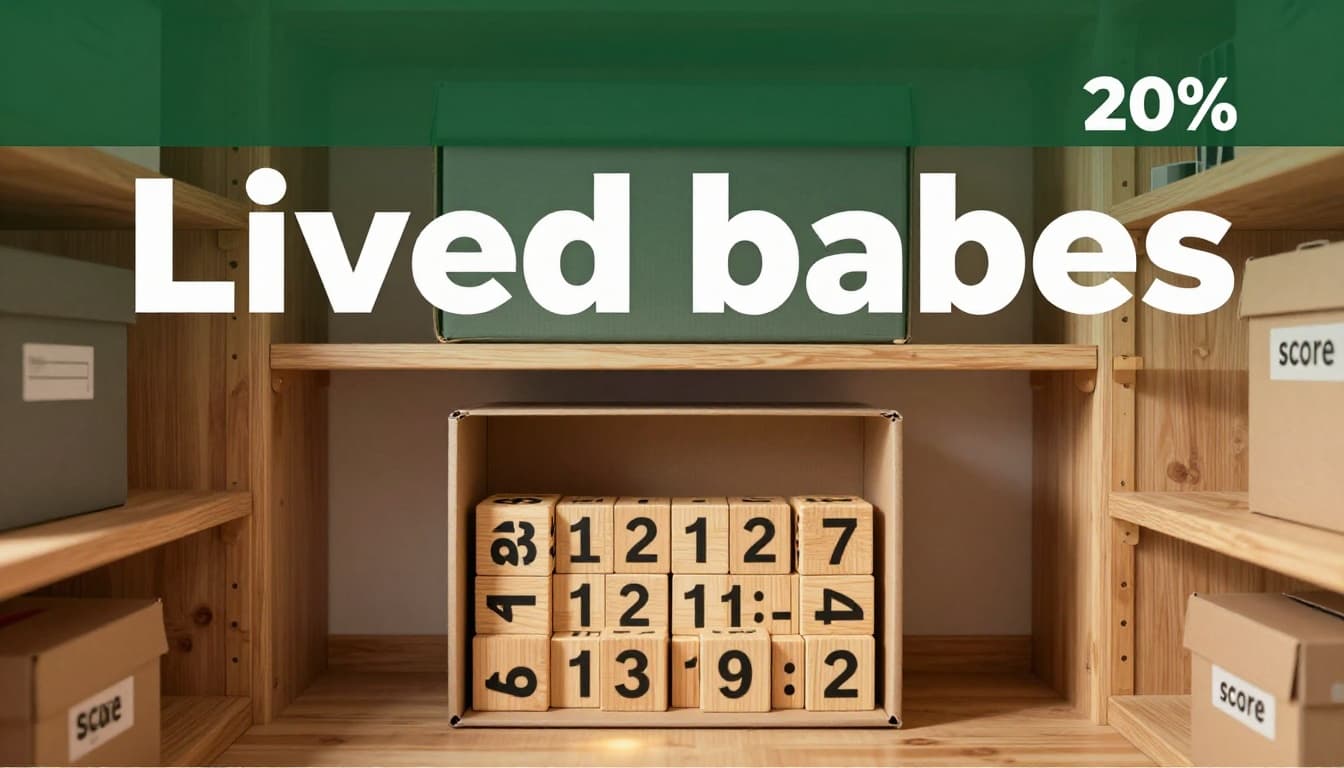
In Python style, it’s like: score = 10. Then score = 15 swaps the contents.
Tentacles Grabbing Hold of Values
Now imagine an octopus on the ocean floor. Each tentacle grabs a toy orb with the number 10 inside. Two tentacles hold the same orb tight.
Shake one tentacle; the orb stays put. Let go and grab a new orb with 20. The other tentacle still grips the old 10. No copies, just holds.
This fits when names share values at first. Change one, and it grabs fresh without touching the rest.

Name Tags Stuck on Your Friends
Kids at recess wear name tags. “Alex” points to the tall kid with glasses. Call “Alex” to pass the ball.
Rip the tag off and stick it on Jamie instead. Now “Alex” means Jamie. The old kid goes tag-free until a new label sticks.
Simple for updates. The tag always shows who’s current.
Real Examples to Watch Variables in Action
Time to see variables move. We’ll use Python style since it’s plain English-like. As of April 2026, new tutorials push Python for beginners. Try these in free online spots like Replit.
First, a game score. Set score = 10. Print it: you see 10. Then score = 20. Print again: now 20 shows. Like swapping box contents.
Next, sharing values. Or math adds up totals. They match the stories above.
For a full beginner guide, see What Is a Variable in Programming? A Simple Guide for Beginners.
Updating a Game Score Step by Step
You start a level: score = 10. Print(score) outputs 10 on screen.
Grab a coin: score = 20. Print(score) now shows 20. The program remembers each jump.
This mirrors the box swap. Easy to track progress.
How Two Names Can Share the Same Value
Set score = 10. Then points = score. Both hold 10 now.
Update score = 15. Points stays at 10. Like tentacles on separate grabs after.
Test it yourself. Print both to watch.
Quick Tips to Start Using Variables Right Away
Choose names that tell the story, like totalPrice over t. Start with numbers or text; skip lists yet.
Assign before you use them, or errors pop up. Watch spelling; computers hate typos.
Don’t reuse the same name in one spot; it confuses. Add notes like # player’s current age for tough ones.
Practice beats reading. Head to a 2026 workshop video on YouTube for Python variables. You’ll code your age and print it fast.
Variables Let You Build Without Forgetting
You now see variables as labels holding changeable info. Boxes store it. Tentacles share without mess. Examples prove they work.
Grab Python in a browser tool today. Set your name as a variable and print a hello message. What will you track first, a score or budget?
Share your first code in comments. Loops come next to repeat fun stuff. Keep at it; coding clicks quick.
(Word count: 982)